AskLayer for
WordPress
Add AI-powered chat to your WordPress site in under 2 minutes. Zero code required.
14-day free trial, no credit card required — request access and we'll email your Site ID plus the widget setup steps. Start the trial here
Built for WordPress
A native WordPress plugin that integrates seamlessly with your existing setup.
Simple Settings Page
Configure your Site ID and toggle the widget on or off — all from a familiar WordPress admin panel. No config files to edit.
Automatic Widget Injection
The AskLayer chat widget loads on every page of your site automatically. No theme editing or shortcodes needed.
Zero-Code Setup
Install the plugin, activate it, enter your Site ID — done. Your visitors can start chatting with AI in minutes.
See It in Action
A clean admin panel and a beautiful chat widget — no theme code required.
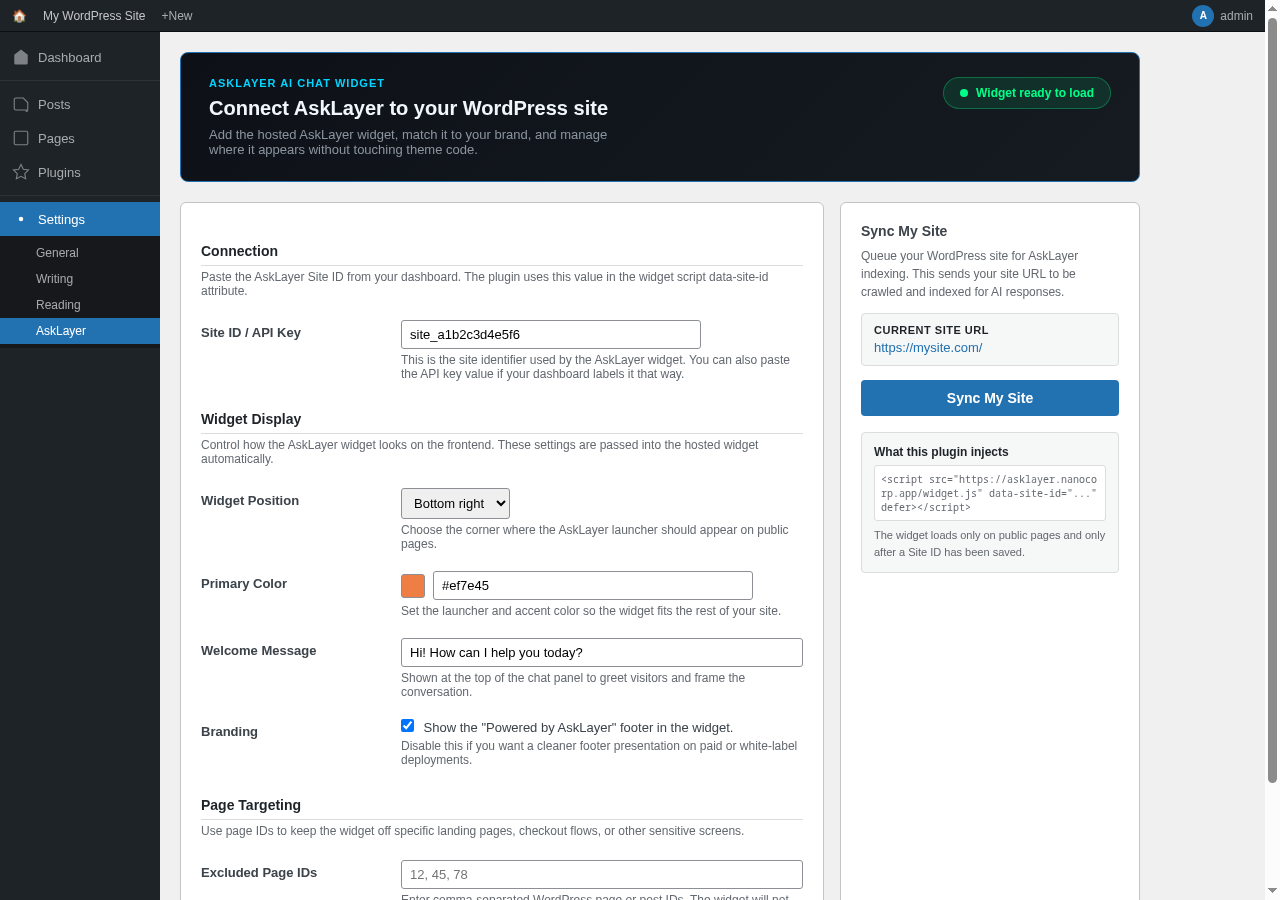
WordPress Admin Settings Page
Configure your Site ID, widget position, accent color, and welcome message — all from a single, familiar settings page.
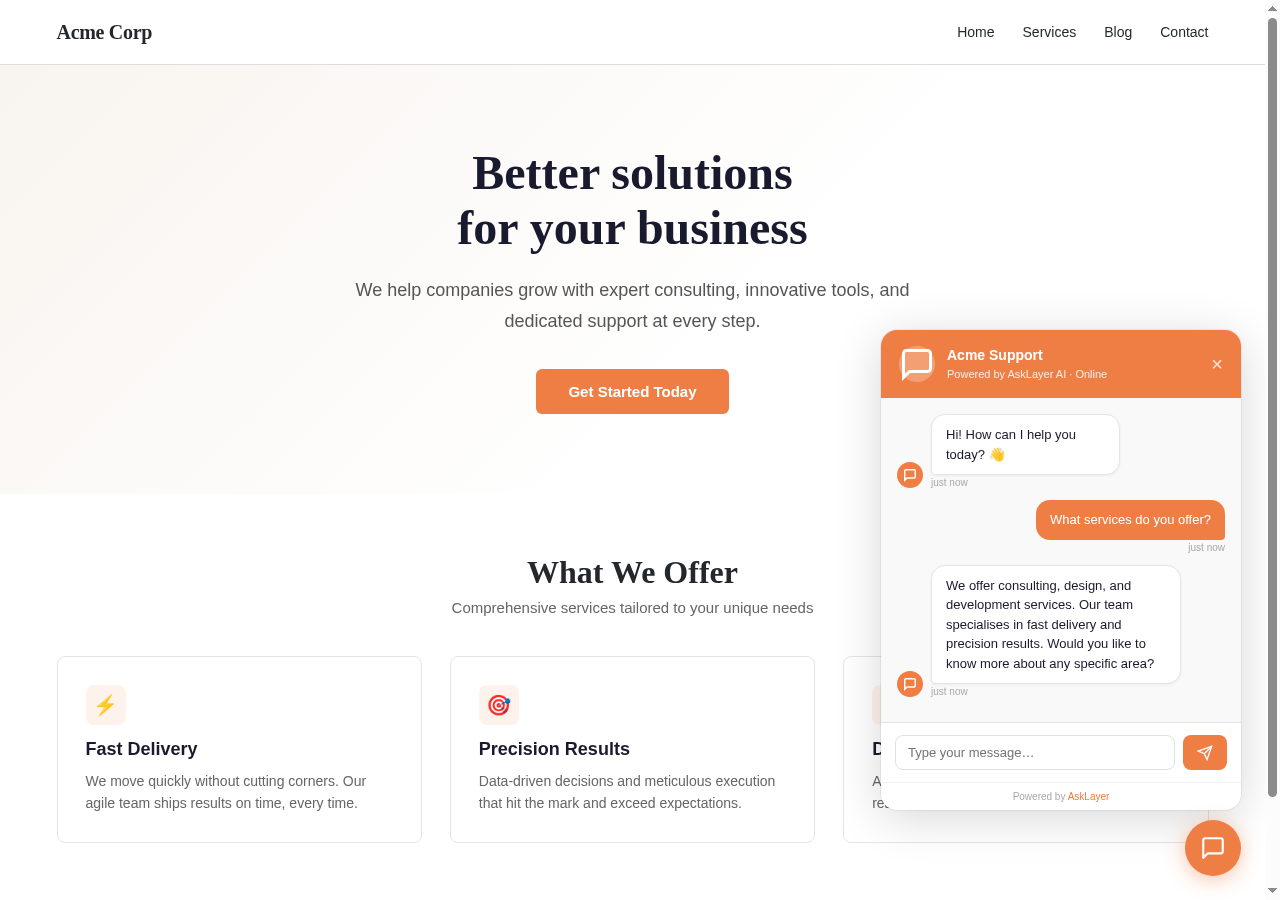
Live Chat Widget on Your WordPress Site
The AskLayer widget appears automatically on every page. Visitors can ask questions and get instant AI-powered answers.
Up and Running in 4 Steps
Download the Plugin
Click the download button above to get asklayer.zip — the latest version of the AskLayer WordPress plugin.
Upload to WordPress
In your WP Admin, go to Plugins → Add New → Upload Plugin. Choose the asklayer.zip file and click Install Now.
Activate the Plugin
Click Activate after installation. You’ll see a new AskLayer item in your WordPress sidebar menu.
Enter Your Site ID
Go to the AskLayer settings page and paste the Site ID from your AskLayer welcome email. Save — and you’re live.
Ready to Get Started?
Download the plugin, add your Site ID, and your WordPress site gets AI chat instantly.